
Ultimate Guide to Sale Price for Revenue Growth in Shopify
The sale price for revenue growth in Shopify helps to raise conversions and improve click-through rates. It also helps with SEO signals like engagement and dwell time. These allow you to get immediate sales while building organic growth.
A well-timed 20% off or a BOGO (Buy One, Get One) offer can turn a slow month into a record-breaker. But what if that same sale could also be one of your most powerful, long-term money-making tools?
Most store owners see sales as a short-term cash injection. In reality, a strategic promotion acts like a honeycomb that keeps the bees coming long after the sale ends.
Impacts of the sale price on revenue growth in Shopify
You run a sale, watch your revenue spike, and then suddenly everything drops back to normal once the sale ends. Now, you are confused because you thought that this would keep your revenue rising.
Sound familiar?
Here’s the missing piece most Shopify store owners overlook.
The sale price for revenue growth in Shopify means reducing prices. This means you will be increasing order volume and boosting conversion.
In simple terms, you may earn less on each product, but you are selling more. This in turn, builds your organic customer base and online visibility.
In all honesty, the sale price for revenue growth in Shopify is not only about lowering prices. It is also about influencing decisions and turning short-term promotions into long-term assets.
In this blog, you’ll learn how to use sale pricing conveniently to build a system that keeps working even after promotions.
Why does the sales price go beyond just discounting
Most store owners assume discounts only reduce profit margins, but when used correctly, they actually increase overall revenue by driving higher purchase volume and improving customer engagement.
So, how does the sale price increase revenue in Shopify?
It works by reducing hesitation during the buying process, encouraging faster decisions, and increasing the total number of completed purchases, which ultimately leads to higher overall revenue despite lower margins per item.
Because Google doesn’t rank discounts, it ranks behavior and the reaction of your customers to the discount
Many people wonder if sale pricing directly affects SEO rankings, but the answer is more nuanced.
Sale prices do not act as a direct ranking factor, but they influence user behavior, which is one of the strongest signals Google uses to determine rankings.
When your sale attracts more clicks and keeps users engaged, your page becomes more valuable in the eyes of search engines because the engines know you have what it takes to retain them.
How Do Sales in Price Improve Revenue Performance?
You might be wondering, how do the discounted prices contribute so much to the performance of my business when it is nothing but just a compounded amount to buy a product?
The answer is given below:
1. Higher Click-Through Rates from Search Results
When your product shows a discounted price in search results, it quickly catches attention compared to other listings that only show the regular price.
Most users naturally prefer a better deal, so they are more likely to click on your product instead of others, which increases your click-through rate.
A higher click-through rate tells search engines that your page is more useful and attractive, which can help improve your rankings over time.
If you are wondering how to show sale prices in Google search results, you can do this by using structured data, which helps search engines display your pricing clearly in listings.
2. Increased Engagement and Dwell Time
When users click on your product and see a good deal, they are more likely to stay on your website and explore instead of leaving quickly.
They may check product details, look at reviews, compare options, or even browse other items that are on sale, which keeps them engaged for longer.
The longer time spent on your site is called dwell time, and it is an important signal for search engines.
At the same time, fewer people leaving your site immediately means a lower bounce rate, which shows that your content is helpful and relevant.
3. More Reviews, Backlinks, and Authority
A strong sale usually leads to more orders, and more orders mean more chances for customers to leave reviews about your products.
These reviews add fresh and useful content to your pages, which helps search engines understand your site better and improves your visibility.
Good deals can also get attention from bloggers, deal websites, and influencers, who may share or link to your store.
These backlinks are very valuable because they increase your website’s authority and help improve your rankings over time.
So, if you are asking whether sale pricing helps with SEO, the answer is yes, but it works by improving user activity, content freshness, and website trust.
Sounds easy and perfect, doesn’t it? Well….
The Real Problem: Why Shopify Stores Can’t Scale
Many Shopify store owners run sales expecting consistent growth, but the results often disappear as soon as the promotion ends, leaving them stuck in a cycle of short-term wins without real progress.
The problem usually comes down to three key mistakes:
1. They are built for short-term results only
Many Shopify store owners focus on running sales just to increase revenue for a short period, without thinking about how those discounts can support long-term growth, which often leads to temporary spikes in sales but no lasting improvement in traffic.
A Shopify fashion store runs a 30% off weekend sale and normally makes the following:
120 orders per week
$4,000 weekly revenue
During the sale:
Orders jump to 280 orders
Revenue increases to $7,500
But after the sale:
Orders drop back to 110–125 orders
No improvement in traffic or rankings
No increase in returning customers
2. They lack a proper SEO structure
Without structured data, optimized product pages, and clear pricing signals, your sale prices are not fully understood by search engines, which means your discounts may not appear clearly in search results, causing you to miss out on higher visibility, better click-through rates, and valuable engagement opportunities.
When users search “running shoes sale”:
Store A shows "$89 → $59 (Sale)” in Google results
Store B shows only: “$89 running shoes.”
Result: Store A gets 3.2% CTR
3. They don’t reach the right audience.
Even a foolproof sale can fail if it is not promoted properly. This is because without using channels like email marketing, social media, and paid ads, your store may not attract enough high-intent visitors.
So, How Do You Keep the Customers? One of the biggest missed opportunities in Shopify stores is that sale prices often do not appear properly in Google search results, even when discounts are active on the website.
This directly reduces clicks and visibility.
Step 1: Build One Permanent “Sale Hub” Page (Not Temporary Pages)
Most Shopify owners make the mistake of creating new sales pages for every campaign, such as the following:
/summer-sale-2025/black-friday-sale
/flash-sale-weekend
The problem is that these pages never build long-term SEO authority.
Instead, you should use one permanent page like the following:
/collections/sale
For example: Store A (wrong approach):
Creates 5 temporary sale pages per yearEach page gets deleted or ignored after the campaign
Average monthly SEO traffic: 800 visits
Store B (optimized approach):
Uses one permanent sales page
Continuously updates products and internal links
Builds backlinks over time
After 6–8 months: Monthly SEO traffic: 4,200+ visits
Page ranks for “brand + sale," “discount store," and product deals
This shows how SEO authority compounds when you stop resetting your URLs.
Step 2: Use High-Intent Traffic to Trigger Ranking Signals
Search engines do not rank pages based on discounts—they rank based on user behavior.
So your goal is not just to create a sale but to bring the right users who will engage deeply.
Real Shopify example with numbers:
A home décor Shopify store runs a 25% seasonal sale:
Without a promotion strategy:
1,500 visitorsBounce rate: 62%
Revenue: $5,200
With email + retargeting + social ads:
4,800 visitorsBounce rate: 41%
Revenue: $16,900
Even more important:
Average dwell time increased from 1:42 min → 3:18 min
Returning visitors increased by 38%
This improvement in engagement signals helps SEO performance over time.
Step 3: Optimize Conversion Using Pricing Psychology
Once traffic arrives, the next step is making sure users actually convert.
This is where pricing psychology becomes important.
Example: A Shopify apparel store tests two pricing formats:
Version A: “$60”Version B: “$100 → $60 (Save $40)”
Results over 14 days: Version A conversion rate: 2.1%
Version B conversion rate: 3.8%
That is an 80% increase in conversions just by showing the sale structure clearly.
This works because users don’t just see price—they see value.
Step 4: Turn Sales Into SEO Assets (Reviews + Backlinks)
Every sale should also be treated as a content generation opportunity.
When customers buy more during promotions:
Reviews increase
Product pages stay fresh
Content signals improve
Example: A Shopify beauty brand runs a monthly Shopify sales campaign using smart Shopify discount pricing.
After three months, the results are clear. Reviews grew from 120 to 460, showing strong customer trust. Organic traffic increased by 55%, bringing more people to the store without paid ads.
The brand also gained 8 backlinks from deal blogs, which helped improve its SEO. Over time, these results build on each other, making every new sale stronger than the last.
These signals compound over time, making each sale stronger than the last.
Conclusion Now that we’ve covered the problem and the solutions, you can make your store stand out and rank higher on Google.
If you only use discounts for quick sales, you are missing a strong long-term growth strategy.
When you use sale prices the right way in Shopify, you can boost conversions, improve SEO, and bring in steady traffic and sales.
Start using these strategies, track your results, and make small improvements over time. This will help turn each sale into a lasting advantage.
FAQs: Does Using Sales Prices Increase Revenue? Sale prices encourage customers to buy more, as it makes them believe that they are getting a better deal, and this further makes them eager to buy more from the store to get such benefits regularly.
How to Run a Sale On Shopify? To run a sale on Shopify, go to your admin panel and open Products. Choose a product, set a higher “Compare at price,” and enter a lower price in the “Price” field. This shows a discount automatically. You can also create discount codes under Discounts for your Shopify sales campaign.
How to Change Compare at Price In Shopify? Go to Products in your Shopify dashboard and select the item you want to edit. Find the “Compare at price” field and enter the original (higher) price. Then set your new lower price in the “Price” field. Save changes to apply your Shopify discount pricing.
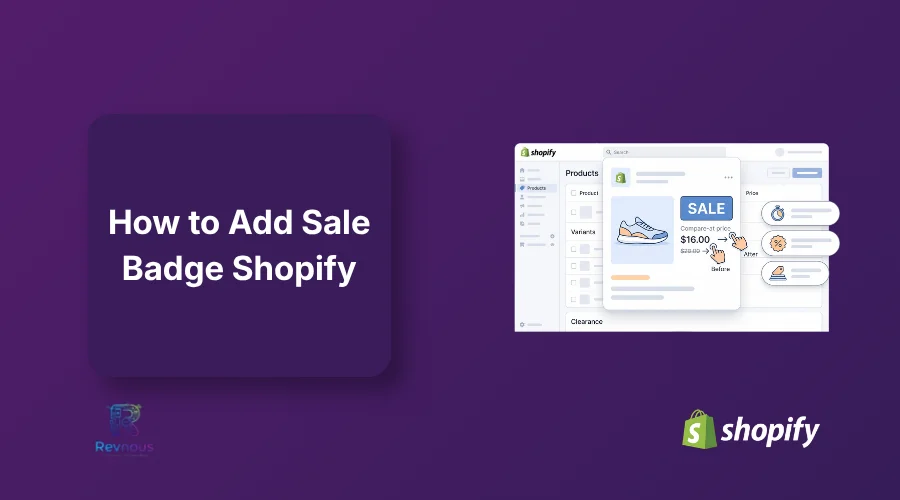
How to Show Sale Price on Product Page in Shopify? Shopify shows the sale price automatically when the “Compare at price” is higher than the actual price. Make sure both fields are filled correctly. If it does not appear, check your theme settings or enable sale badges so customers can clearly see the discount on the product page.
Ready to Boost Your Revenue?
Join 66,000+ brands already using Revnous to drive sustainable growth